





A strong technical SEO checklist is the difference between a website that simply exists and one that consistently ranks, loads fast, and converts. Many sites invest heavily in content and backlinks but still struggle because their technical foundation limits how search engines crawl, render, and index their pages.
This guide takes a different approach. Instead of repeating generic steps, it breaks down technical SEO into a working framework you can actually use to audit, diagnose, and improve website performance, core web vitals, and overall search visibility.
Why Most Technical SEO Checklists Fail in Real Audits
Most published seo checklist guides look comprehensive, but they often fall short when applied to real websites. The issue is not lack of information. It is a lack of prioritization.
In practice, audits often flag dozens of issues without explaining which ones actually impact rankings. A slow-loading homepage might be buried under minor warnings like missing meta tags or duplicate H1s. The result is wasted time fixing low-impact problems.
Another common gap is over-reliance on tools. Platforms like Google Search Console or PageSpeed Insights highlight issues, but they do not explain context. A “poor score” does not always mean a ranking problem.
The real goal of technical seo is not to fix everything. It is to fix what actually blocks crawling, slows rendering, or weakens indexation.
The 3-Layer Audit Model We Use for Technical SEO
Instead of a flat seo audit checklist, a layered model that mirrors how search engines process a website is more effective.
Layer 1: Crawlability and Indexation
This is the foundation. If search engines cannot properly crawl or index a site, nothing else matters.
- Robots.txt directives
- XML sitemap accuracy
- Indexation status
- Crawl budget allocation
Layer 2: Performance and Core Web Vitals
Once pages are accessible, speed and usability become critical.
- Largest Contentful Paint (LCP)
- Interaction to Next Paint (INP)
- Cumulative Layout Shift (CLS)
These metrics are part of Google’s page experience signals, as outlined in Google’s Core Web Vitals documentation.
Layer 3: Structural and Rendering Efficiency
This layer focuses on how efficiently content is delivered and understood.
- JavaScript execution
- Internal linking structure
- URL hierarchy
- Canonical signals
This layered approach prevents wasted effort and ensures fixes are applied in the right order.
Crawl Efficiency Signals That Actually Impact Indexing Speed
Crawling is not unlimited. Even small websites can suffer from inefficient crawl paths. One of the most overlooked areas is crawl budget optimization. According to Google’s crawl budget management guide, unnecessary URLs, duplicate pages, and parameter-based links can waste crawl resources.
Another important factor is log file analysis. By reviewing server logs, it is possible to see exactly how search engine bots interact with a site. This often reveals:
- Pages being crawled but not indexed
- Important pages being ignored
- Crawl loops or dead ends
XML sitemaps help, but they are not a guarantee of indexing. Search engines prioritize internal linking and actual crawl paths over submitted URLs.
Rendering Bottlenecks That Slow Down Search Engines
Modern websites rely heavily on JavaScript, but this introduces a second layer of complexity: rendering. Poor decisions made during web development, such as over-relying on client-side rendering, are one of the most common reasons search engines struggle to index pages efficiently. Search engines first crawl HTML, then render JavaScript. If rendering is delayed or blocked, indexing is also delayed.
Common rendering issues include:
- Render-blocking scripts
- Heavy JavaScript bundles
- Client-side rendering without fallback
In many cases, switching to server-side rendering or optimizing script loading can significantly improve both indexing speed and website speed optimization outcomes.
Core Web Vitals in Practice: What We Fix First (and Why)
Not all performance metrics are equal. Core web vitals focus on real user experience, but even within them, prioritization matters.
Here is how they can be approached:
- LCP (Largest Contentful Paint): Focus on server response time and image optimization
- INP (Interaction to Next Paint): Reduce JavaScript execution delays
- CLS (Cumulative Layout Shift): Stabilize layout elements like images and ads
According to Google’s page experience documentation, improving these metrics contributes to better page experience signals, though it is not a direct ranking guarantee.
Hidden Performance Issues Most Website Audits Miss
Many audits focus on obvious metrics but ignore deeper performance bottlenecks. A recurring issue is third-party script overload. Marketing tags, analytics tools, and embedded widgets often slow down sites more than core functionality. These issues are frequently introduced without a proper website maintenance process in place, leaving slow scripts and unused plugins running unchecked for months.
Another overlooked factor is font loading. Unoptimized font files can delay rendering and increase layout shifts. CDN misconfigurations also play a role. A poorly configured content delivery network can actually increase latency instead of reducing it.
Finally, excessive plugins or bloated themes can add unnecessary CSS and JavaScript, impacting both performance and crawl efficiency. Many of these issues stem from common website development mistakes that accumulate over time and quietly erode site speed and crawlability.
Structural SEO Signals That Strengthen Rankings Without Content Changes
Technical improvements are not always about speed. Site structure plays a major role in how search engines interpret content.
Key elements include:
- Internal linking depth (important pages should be within 2–3 clicks)
- Clear URL hierarchy
- Proper canonical tags to avoid duplication
- Identification of orphan pages
A well-structured site improves indexability and distributes authority more effectively, even without adding new content. This becomes especially important for ecommerce websites, where large product catalogs, faceted navigation, and duplicate category pages can silently drain crawl budgets and suppress rankings.
Step-by-Step Technical SEO Checklist for Optimized Websites
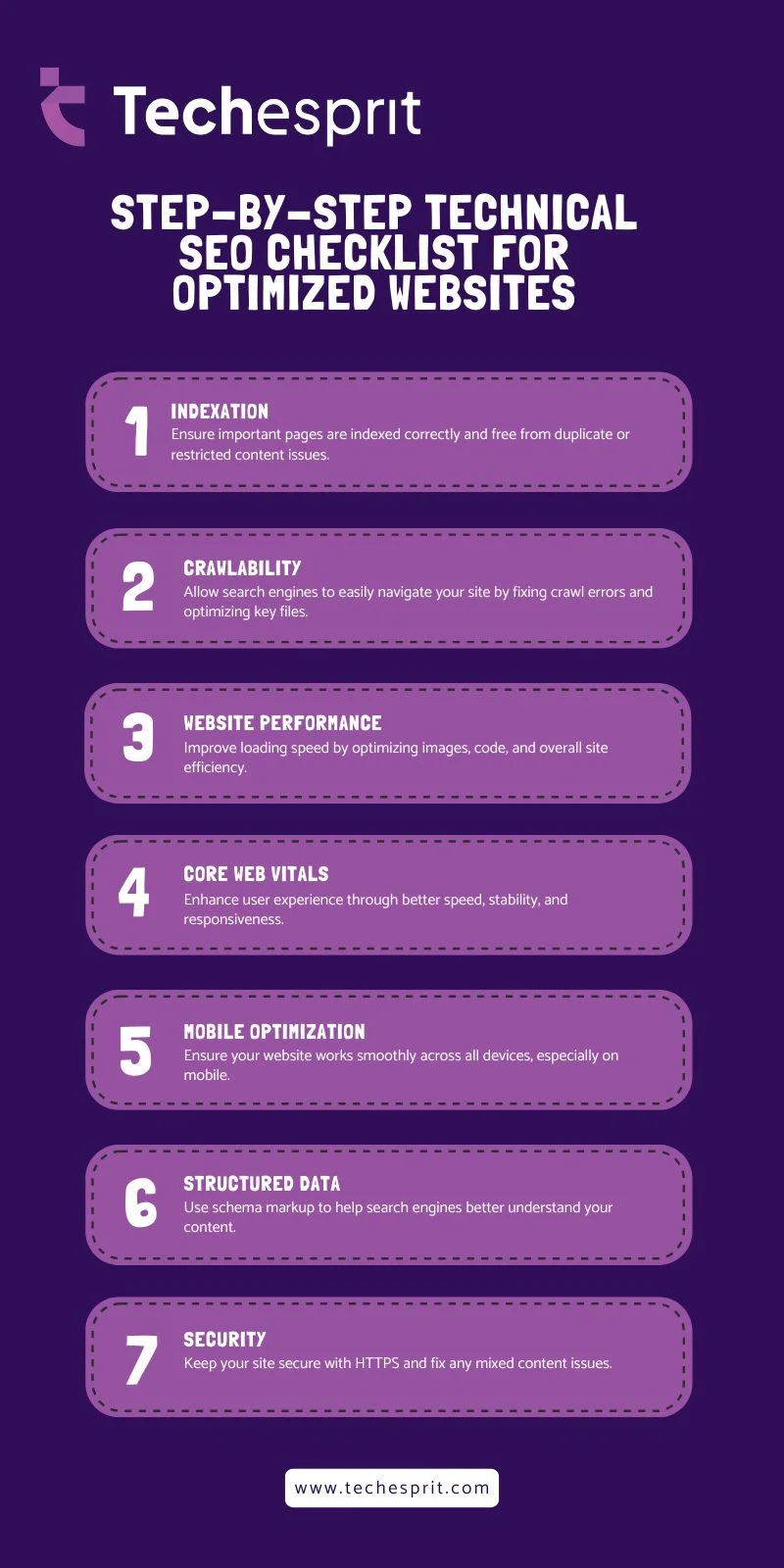
Tools vs Interpretation: Why Data Alone Doesn’t Improve Rankings
SEO tools are useful, but they do not replace analysis. A tool might flag many issues, but only a few actually impact rankings. Without interpretation, it is easy to focus on the wrong fixes.
For example, a low performance score does not always mean poor user experience. Context matters. A content-heavy page may score lower but still rank well if it satisfies user intent.
The real advantage comes from combining data with understanding. Technical SEO works best when it supports a broader digital marketing strategy, one where content, performance, and search visibility are treated as connected, not separate.
A Common Technical SEO Pattern Observed in Audits
One recurring issue across many websites is excessive JavaScript delaying rendering and indexing.
Pages often load visually for users, but search engines struggle to process content efficiently due to heavy scripts and client-side rendering. This results in delayed indexing or incomplete content visibility in search results.
Addressing this typically involves reducing JavaScript size, deferring non-critical scripts, and prioritizing essential content in the initial HTML response. These changes often lead to improved crawl efficiency, faster indexing, and better overall performance.
When to Run a Technical SEO Audit
A technical audit is not something to run randomly. It is most valuable in specific situations:
- After a website redesign or migration
- When traffic drops unexpectedly
- When launching a new section or large content update
On the other hand, running audits too frequently without major changes can lead to unnecessary work and confusion. If you are still building out your SEO strategy, it makes more sense to establish a solid foundation first before running repeated technical audits.
Conclusion
A technical SEO checklist is not a one-time task. It is an ongoing process that supports everything else in an SEO strategy. When done correctly, it improves crawl efficiency, enhances website performance, and strengthens the ability to rank consistently. The key is not doing more. It is doing what matters first, based on how search engines actually work.
FAQs
How long does it take to see results from a technical SEO checklist?
Most improvements appear within 2 to 6 weeks, depending on how quickly search engines recrawl a site and how critical the fixed issues were.
Is technical SEO more important than content SEO?
Technical SEO ensures a site can be crawled and indexed, while content drives relevance. Both are equally important for strong rankings.
How often should a technical SEO checklist be performed?
A full audit should be done every 3 to 6 months, or after major updates like redesigns, migrations, or large content additions.
Do Core Web Vitals directly impact rankings?
They are a ranking factor, but secondary. According to Google, they help differentiate pages with similar content quality.
What is the fastest way to improve website speed?
Optimizing images, reducing JavaScript, enabling caching, and using a CDN can quickly improve loading speed and overall performance.