

Did you know that 53% of mobile users abandon a site that takes longer than 3 seconds to load? According to Google, even a one-second delay in page load time can reduce conversions by up to 7%, cost e-commerce sites thousands in lost revenue, and push a page down the search rankings, all at once.
In a landscape where users decide within three seconds whether to stay or leave, website speed is no longer just a technical checkbox. It is a direct revenue driver, a user trust signal, and a core ranking factor. Pages that load fast win more visitors, hold their attention longer, and convert at higher rates.
This guide breaks down exactly how speed works, why it matters across SEO, UX, and conversions, and the specific optimizations that move the needle in real-world scenarios.
What Is Website Speed and How Is It Measured Today?
Modern performance measurement goes far beyond a simple load time. Today, website speed is evaluated through user-centered signals known as Core Web Vitals, a set of metrics introduced by Google that reflect how real users actually experience a page, not just how fast it technically finishes loading.
The three Core Web Vitals Google uses as ranking signals:
- Largest Contentful Paint (LCP): How quickly the main content becomes visible to the user
- Interaction to Next Paint (INP): How fast the page responds to a user’s first interaction
- Cumulative Layout Shift (CLS): Whether page elements shift unexpectedly during loading, causing layout instability
Unlike older approaches that measured “fully loaded time,” modern systems prioritize perceived speed, what users see and feel matters more than backend completion. A page that shows content instantly but continues loading in the background feels faster than one that waits until everything is ready before displaying anything.
Why Website Speed Defines Business Performance
Speed affects every layer of a website’s performance. Users make a stay-or-leave decision within seconds, and that decision is heavily influenced by how quickly content appears on screen.
- A 1-second delay in page response can reduce conversions by 7%
- Pages that load in 1 second convert 3x better than pages that take 5 seconds
- Amazon estimated that every 100ms of latency cost them 1% in sales
- Google reports 53% of mobile visits are abandoned if a page takes over 3 seconds to load
Fast websites do the opposite, they support smoother navigation, stronger retention, and better conversion pathways. This is why website performance optimization is now treated as a core growth strategy by leading web development teams, not a backend concern to be handled after launch.
How Website Speed Shapes User Experience
Speed is deeply connected to user experience design, even when users do not consciously notice it. A fast interface feels stable and reliable. A slow one feels broken or untrustworthy. The difference often comes down to perceived responsiveness rather than raw load time.
Key UX effects of page speed:
- Immediate visual feedback increases user confidence and reduces abandonment
- Smooth, uninterrupted transitions lower cognitive load during navigation
- Stable layouts during load build trust and reduce accidental clicks
- Fast responses keep users engaged deeper into the page
Mobile users are especially sensitive. With Google’s mobile-first indexing now the default standard, performance expectations on smaller devices are higher than ever. Research shows mobile users are 5x more likely to abandon a task on a slow site.
In practice, design decisions like heavy animations, large hero images, or auto-playing video must always be weighed against their performance cost. A visually rich site that loads in 5 seconds consistently underperforms a simpler but faster alternative that loads in 1.5 seconds. Many of these trade-offs are also addressed during the website development phase itself, where common performance mistakes often get baked in before a site ever goes live.
SEO Performance: Why Search Visibility Depends on Speed
Search engines now evaluate performance as part of overall page quality. Strong SEO performance depends not just on content relevance and authority signals, but on how efficiently users can access and engage with that content.
How faster websites improve search rankings:
Better crawl efficiency, faster pages allow bots to process more content within the same crawl budget
- Lower bounce rates improve engagement signals that Google uses as quality indicators
- Higher dwell time signals content satisfaction, which supports rankings
- Improved mobile rankings through Google’s Core Web Vitals performance signals
From an indexing perspective, slow pages consume more crawl budget, which can delay when updates appear in search results. Sites with thousands of pages are particularly vulnerable to this, if a bot spends too long on slow pages, newer content may not be crawled promptly.
This is precisely why speed optimization is now treated as a core pillar of technical SEO, sitting alongside structured data, crawlability, and indexability in any serious SEO strategy.
What Actually Slows Websites Down
Most performance problems come from a combination of frontend and backend inefficiencies stacking on top of each other. Identifying the specific bottlenecks in your site is essential before applying fixes, optimizing without a diagnosis often leads to minimal results.
| Issue | Speed Impact | Practical Fix | Estimated Gain |
| Unoptimized images | High load delay | WebP/AVIF + compression | Up to 40% size reduction |
| Render-blocking scripts | Delayed rendering | Defer or async loading | 0.5–1s faster FCP |
| No caching | Slow repeat visits | Browser + server caching | 2–4x faster repeat loads |
| Heavy JavaScript | Slow interactivity | Code splitting + lazy load | 30–50% INP improvement |
| Weak hosting / no CDN | High TTFB | CDN + optimized hosting | Reduces latency by region |
| Third-party scripts | Blocked rendering | Audit and remove unused | Significant FCP gains |
Website Performance Optimization Strategies That Work
Effective website performance optimization focuses on reducing unnecessary load and improving how quickly content becomes usable, not just how quickly the page technically finishes. Here are the strategies that consistently deliver measurable gains.
Server-side improvements
- Enable browser and server caching so repeat visitors load pages from local memory
- Use a CDN to serve assets from servers closer to the user’s location
- Compress responses using GZIP or Brotli to reduce transfer size by 60–80%
- Optimize Time to First Byte (TTFB), target under 200ms for good performance
Frontend improvements
- Minify CSS, JavaScript, and HTML to remove whitespace and redundant code
- Remove unused CSS with tools like PurgeCSS, and audit JavaScript bundles regularly
- Defer non-critical JavaScript so it does not block the initial page render
- Inline critical CSS to eliminate a render-blocking stylesheet request
Loading strategy improvements
- Prioritize above-the-fold content using resource hints (preload, prefetch)
- Lazy load images and videos below the fold, they do not need to load immediately
- Use preconnect directives for third-party domains that serve critical resources
The goal is not just faster load times but faster perceived interactivity. A site that feels instant, even if the total load time is similar, performs measurably better across engagement and conversion metrics.
Image Optimization: The Highest-Impact Single Fix
Images are consistently the largest contributors to page weight. A single unoptimized hero image can weigh more than all the CSS and JavaScript on a page combined. Fixing image delivery is often the single highest-impact optimization available.
Core image optimization techniques:
- Compress images without visible quality loss using tools like Squoosh or ImageOptim
- Serve images in modern formats, WebP reduces file size by 25–35% vs JPEG; AVIF by up to 50%
- Use responsive images with srcset so mobile devices receive appropriately sized files
- Apply lazy loading to all images below the fold using the native loading=’lazy’ attribute
- Set explicit width and height on all images to prevent layout shifts (improves CLS)
Optimized images improve both speed and bandwidth usage, which is especially critical for mobile users on slower networks. In most performance audits, image optimization alone accounts for 30–40% of total load time reduction.
Speed’s Direct Impact on Conversion Rate Optimization
Speed directly affects conversion rates because users are highly sensitive to delays during decision-making moments. When a page hesitates at checkout, sign-up, or form submission, it introduces friction that breaks the user’s momentum: and many will not return.
Where speed improvements drive conversion gains:
- Checkout completion rates: every added second increases cart abandonment
- Form submissions: faster forms see higher completion rates
- Product page engagement: faster load correlates with more images viewed and higher add-to-cart rates
- Landing page performance: speed is one of the top factors in paid ad Quality Scores
Speed reduces friction in the conversion funnel. The smoother the experience from arrival to action, the higher the likelihood of completion. For ecommerce websites, this makes Core Web Vitals score genuine revenue KPIs, not just engineering benchmarks.
Tools to Measure and Monitor Performance
Monitoring performance is not a one-time task, it needs to be built into your regular workflow. These tools give you both lab data (simulated) and field data (real user experience) to diagnose and track improvements over time.
- PageSpeed Insights: Google’s free tool that combines lab scores with real-world CrUX data. Start here for any audit.
- Google Lighthouse: Built into Chrome DevTools. Runs a full audit including performance, accessibility, and SEO with detailed recommendations.
- Google Search Console — Core Web Vitals Report: Shows your real-user CWV scores segmented by device type. Essential for tracking page-level issues across your full site.
- WebPageTest: Advanced testing tool with filmstrip view, waterfall charts, and multi-location testing. Excellent for diagnosing specific bottlenecks.
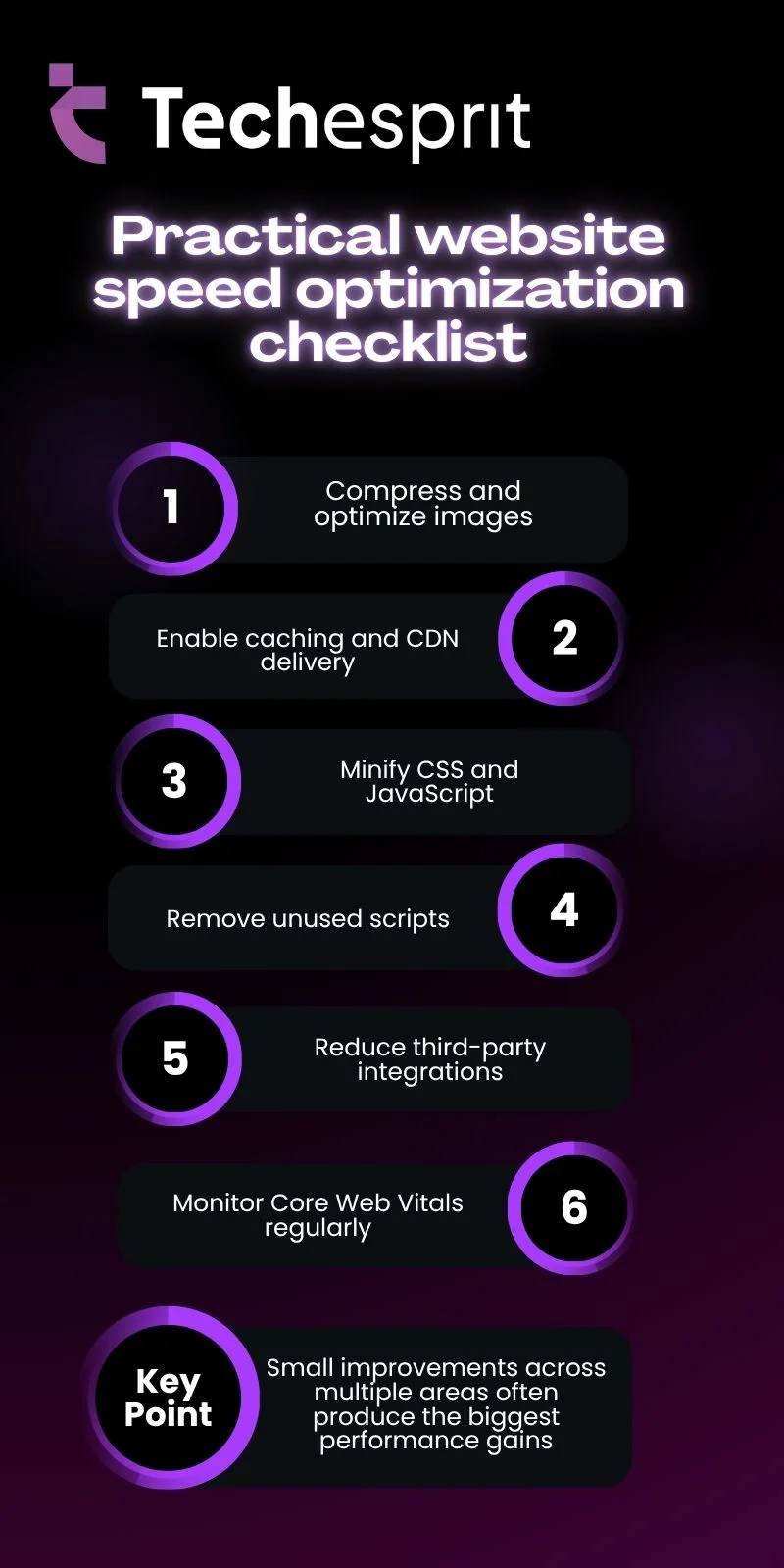
Practical website speed optimization checklist
Conclusion
Website speed is one of the most important factors in modern digital performance. It directly influences UX quality, SEO outcomes, and conversion effectiveness. When pages load quickly, users stay longer, interact more, and convert more often.
Improving speed is not a one-time task. It is an ongoing process of monitoring, refining, and optimizing. Businesses that treat performance as a continuous priority gain a clear competitive advantage in search visibility and user satisfaction. Pairing speed work with broader digital marketing strategies ensures that traffic coming to a fast site is also being captured and converted effectively.
FAQs
What is a good website speed?
A good website speed is typically under 2.5 seconds for main content load, ensuring smooth experience, better engagement, and improved user satisfaction.
Does website speed affect SEO rankings?
Yes, website speed impacts SEO rankings because search engines use Core Web Vitals and user experience signals to evaluate page quality and relevance.
What is the fastest way to improve performance?
The fastest way includes optimizing images, enabling caching, removing unused scripts, and using a CDN to reduce load time and server response.
Why is mobile speed more important?
Mobile speed is critical because most users browse on mobile devices, and Google prioritizes mobile-first indexing for ranking and performance evaluation.
How often should performance be checked?
Website performance should be checked at least monthly or after major updates to ensure consistent speed, usability, and Core Web Vitals compliance.